The Future of Visuals: Image to Image AI
Welcome to tomorrow’s canvas: ImageMover’s image to image AI transforms your pictures with intelligence and creativity, turning static snapshots into stunning new visuals in seconds.
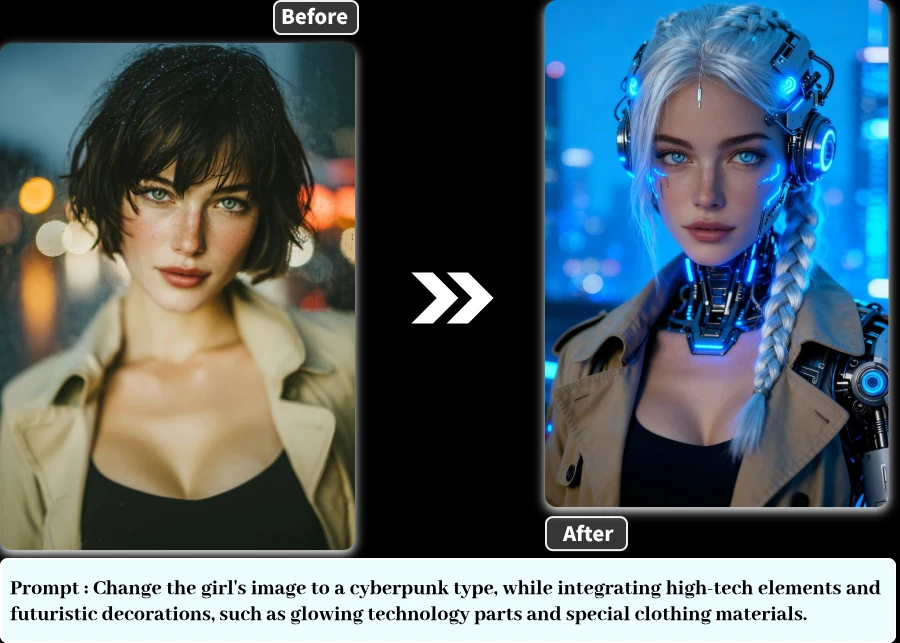
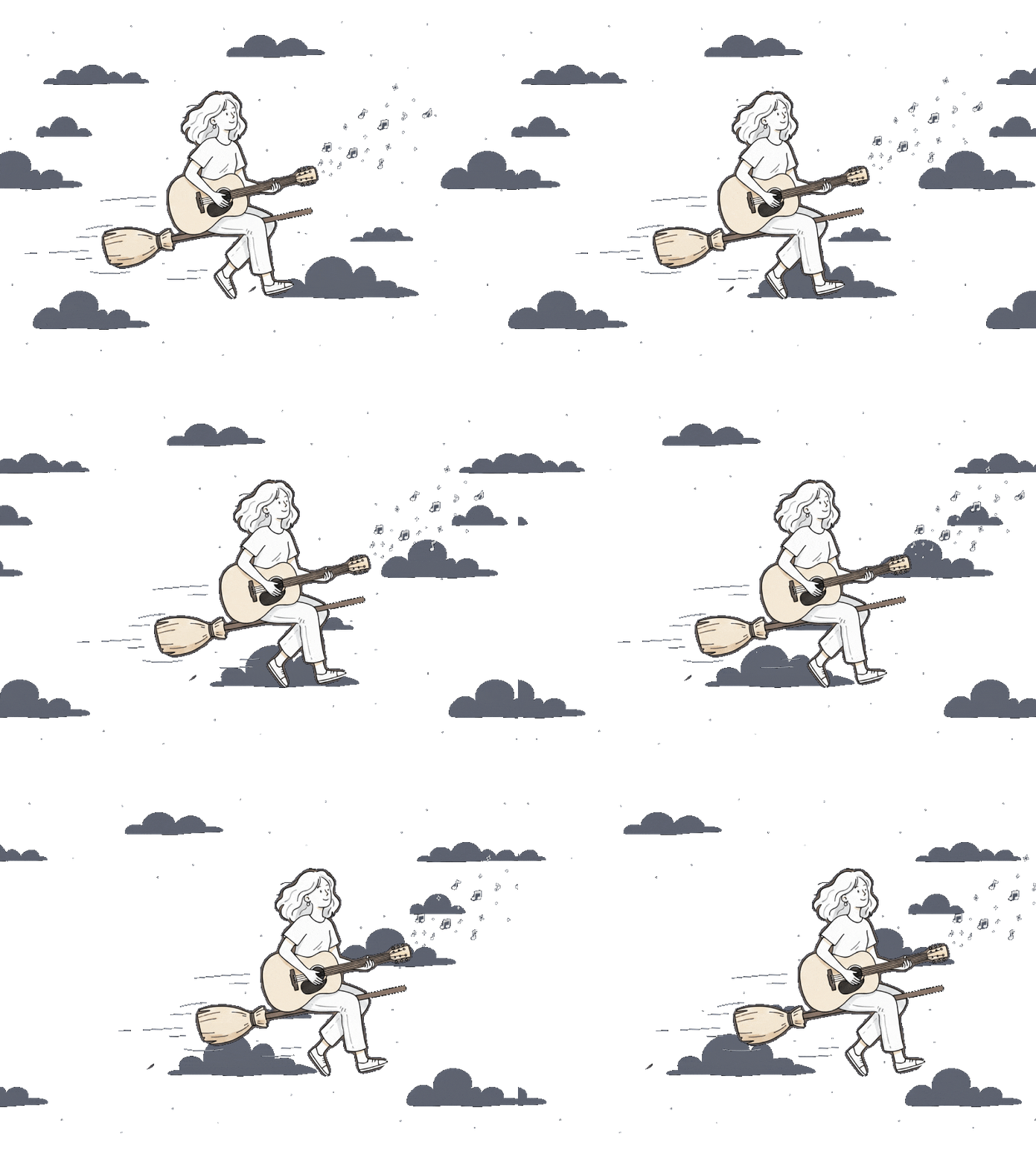
Your Photo’s Journey: 3 Steps to Transform
ImageMover’s image to image AI takes your picture on a quick 3-step adventure — from a simple still image to a stunning new creation with style, detail, and impact.
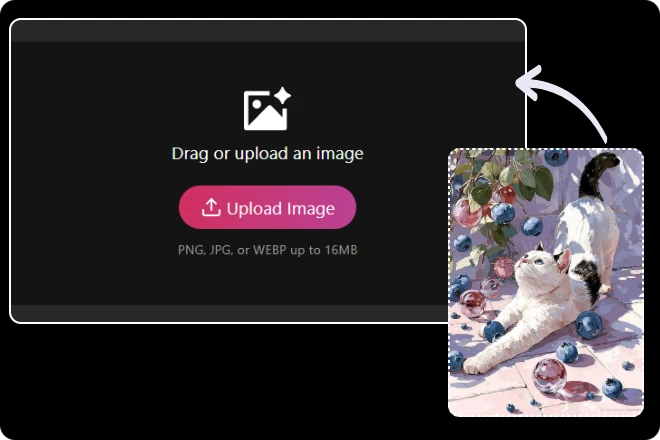
Step 1. Import Your Asset
Easily drag and drop your photo — whether it’s a portrait, product shot, or artwork — directly into ImageMover. The platform supports multiple formats and ensures your image is processed securely and at full resolution.
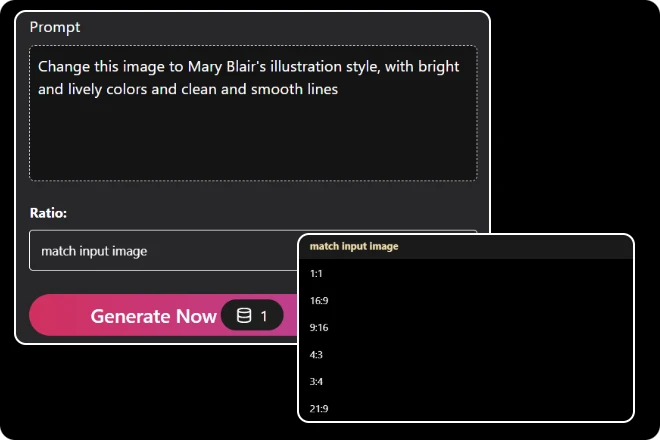
Step 2. Customize Transformation
Describe the result you want — from artistic styles to lighting or background changes — and choose your preferred output ratio or size. ImageMover’s image to image AI understands context, style, and detail, turning your ideas into visually consistent results.
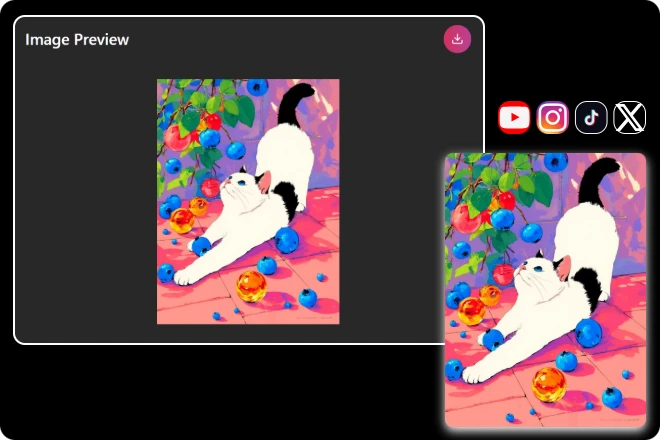
Step 3. Export High-Quality Results
Preview your transformed image, adjust styles or resolution as needed, and export a polished file ready for design projects, marketing, social sharing, or professional presentations.
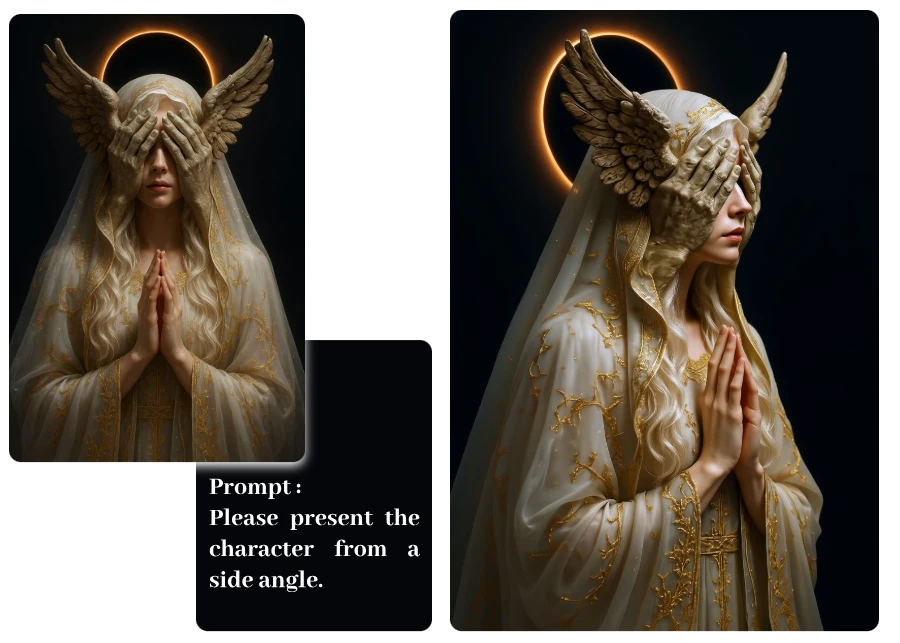
Turn Bored Photos Into Stunning Visuals
Why should your selfies or snapshots stay ordinary? With ImageMover’s image to image AI, even the dullest picture can be reimagined with new styles, details, and creative twists. Perfect for designing eye-catching posts, transforming portraits into artworks, or giving product shots a fresh visual spark — it’s pure playtime for pixels.
Your Creativity, Supercharged by AI
Ever imagined new styles or worlds for your pictures and wished they could instantly come to life? Now they can. ImageMover’s image to image AI transforms still visuals into stunning new versions, giving artists, content creators, and dreamers a powerful way to reimagine their work. From concept art to moodboards, your imagination no longer stands still — it evolves with you.
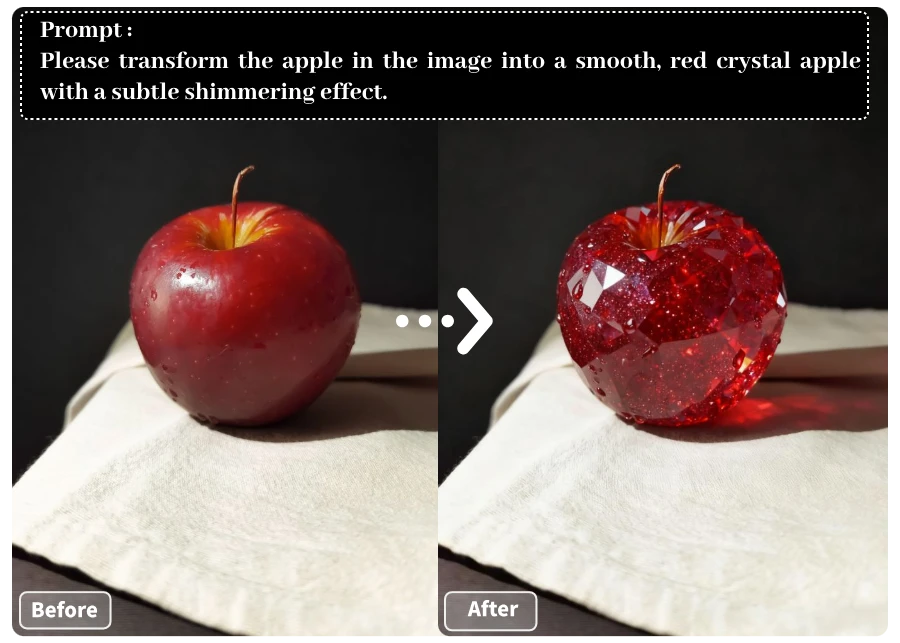
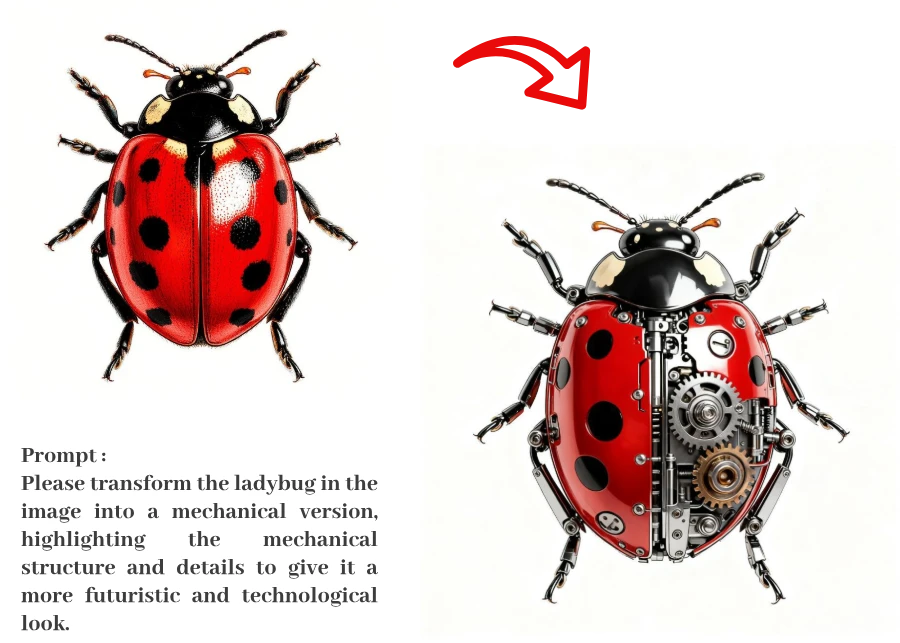
From Static Visuals to Stunning Transformations
Sometimes a single photo isn’t enough to capture attention. That’s where ImageMover’s image to image AI comes in — converting static visuals into sleek, high-quality variations that elevate presentations, ads, and brand storytelling. No complex tools required, just a smart workflow that makes your content stand out instantly.
Why Our Image to Image AI Stands Out
01
Drag, Drop, Done
Skip the complex tools — just upload your image and let our AI do the heavy lifting. In seconds, your still photo transforms into a polished new version, no editing skills required.
02
Fast Results, Zero Stress
No long waits or heavy rendering. Get smooth, high-quality outputs in moments, so you can focus on creating and sharing instead of stressing over software.
03
Creative Freedom
Whether it’s a portrait, product, or artwork, our AI adapts to your vision. Use it for social posts, design projects, marketing visuals, or personal creativity — your call.
04
AI That Understands Context
Our smart engine analyzes faces, objects, and background details, ensuring every transformation feels authentic, balanced, and faithful to your original image.
05
Professional Quality
Export high-resolution images optimized for presentations, campaigns, or portfolios. Every result is crisp, consistent, and ready for both print and digital use.
06
Limitless Transformations
Our image to image AI doesn’t just edit — it reimagines. From subtle retouches to bold style shifts, your visuals gain new life with expressive, detail-rich results.
How Image to Video AI Fits Every User
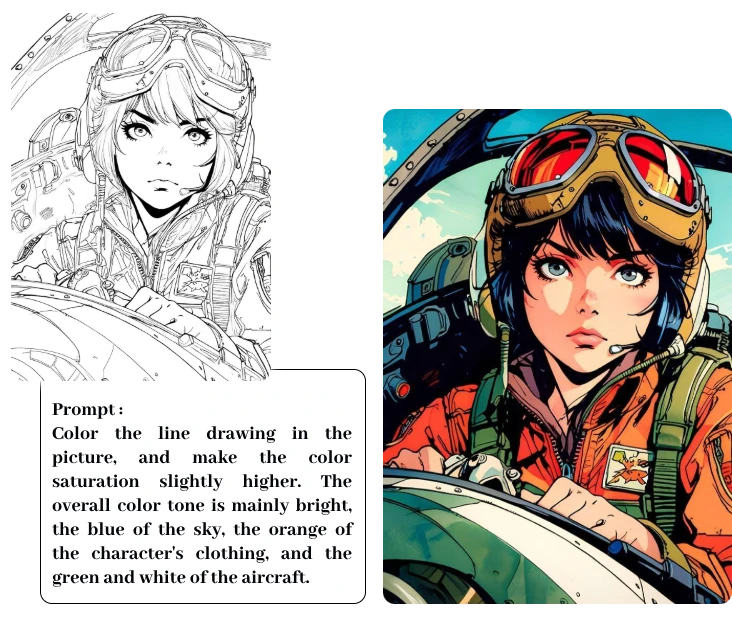
For Everyday Users
Want to add a playful twist to your photos or make your social posts stand out? With a single image, ImageMover’s image to image AI lets you create fun, personalized visuals that bring everyday moments to life.
For Content Creators & Influencers
Stay ahead of trends with fresh, eye-catching images. Use image to image AI to transform selfies, artwork, or brand collaborations into unique visual styles perfect for social media feeds, YouTube, or Reels.
For Businesses & Marketers
Turn product photos into compelling marketing visuals without costly photoshoots. From e-commerce catalogs to campaign creatives, image to image AI helps brands capture attention and boost engagement in seconds.
For Educators & Professionals
Bring lectures, presentations, or historical images to life. Whether for classrooms, training sessions, or pitch decks, image to image AI enhances visual storytelling, making information more memorable and impactful.
Real Feedback from Real Creators
From casual users to professionals, people everywhere share how our image to video AI fits seamlessly into their lives and work.
As a freelance marketer, I don’t always have budget for video shoots. This tool lets me create polished, eye-catching visuals from static product shots within minutes.
Marcus Rivera
I’m an illustrator and tried transforming one of my sketches. The results were smooth and surprisingly natural — it added a whole new storytelling layer to my artwork.
Priya Malhotra
I wanted my LinkedIn profile to stand out. I used image to image AI to enhance my headshot with subtle effects, and recruiters actually noticed how unique it looked.
Ethan Brooks
What Our Visitors Often Ask
What is Image to Image AI?
Image to Image AI is an advanced tool that transforms one image into another using artificial intelligence. Unlike text-to-image models, it starts from an existing picture — preserving its structure while enhancing, restyling, or reimagining it into a new creative form.
How does Image to Image AI differ from Text to Image generation?
Image to Image AI starts with an existing image, keeping its main structure and visual elements intact while applying transformations such as style changes, enhancements, or edits.
In contrast, Text to Image generation creates entirely new visuals from written descriptions, with no reference image — ideal for generating original concepts but less suited for precise, controlled results.
What types of images are supported?
You can upload portraits, product photos, landscapes, or artwork. For the best results, we recommend clear, well-lit images with a defined subject and minimal background clutter.
How long does it take to generate results?
Most transformations take just a few seconds, depending on the image complexity and the style you choose. Our AI engine is optimized for both speed and quality, so you can create without long waits.
Can I customize the output style?
Absolutely. You can use descriptive prompts to guide the AI. For example: “Turn this portrait into a watercolor painting” or “Convert this cityscape into a cyberpunk-style scene.” You can also apply preset styles for quick results.
What’s the quality of the generated images?
We use state-of-the-art models to ensure high-resolution, detail-rich results. Generated images are suitable for social media, design work, printing, or professional presentations.

ImageMover.ai
Because Every Photo Deserves to Evolve
Bring your imagination to life with ImageMover’s image to image AI. Whether you’re aiming for fun transformations, creative surprises, or professional-grade edits, the process is effortless — leaving you with stunning images ready to share everywhere.