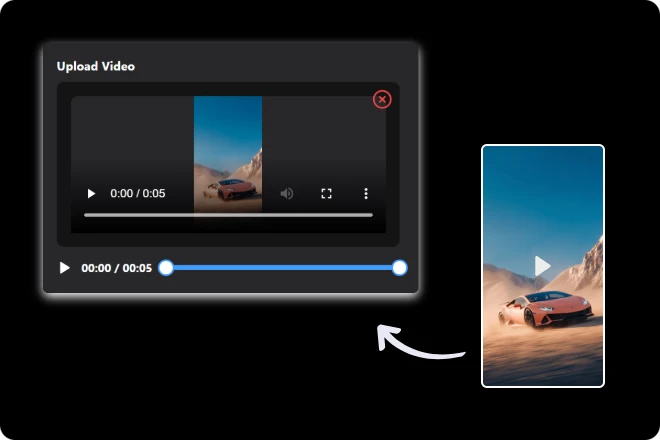
Step 1. Upload Your Video
Start by uploading your footage—any clip, any format—and get ready to transform it effortlessly with Video to Video AI.
Why start from scratch? Video to Video uses an advanced AI video generator to remix your footage into fresh, professional results with surprising ease.
Upgrade Your Video in Minutes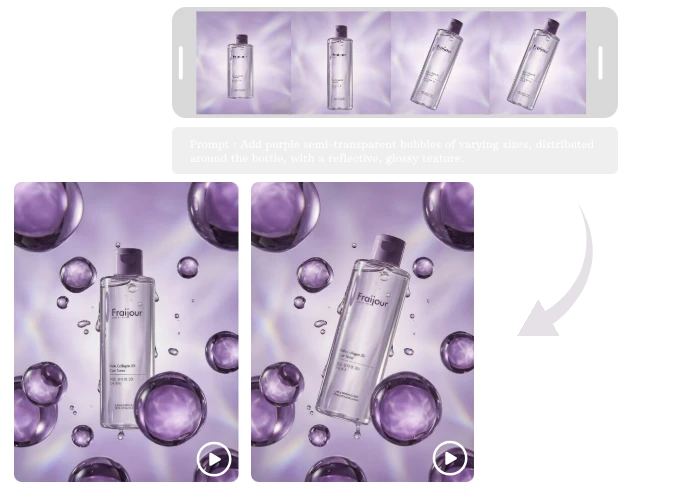

Video to Video Generator breaks AI-powered video transformation into three easy, creator-friendly steps.
Start by uploading your footage—any clip, any format—and get ready to transform it effortlessly with Video to Video AI.
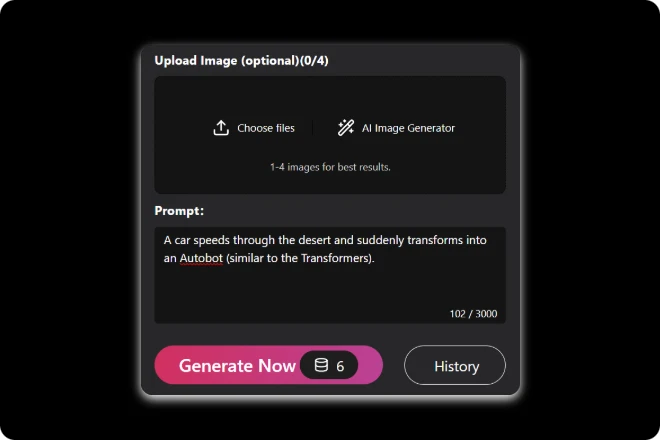
Add descriptions, images, or style elements to guide the AI, making your video unique and tailored exactly how you envision it.
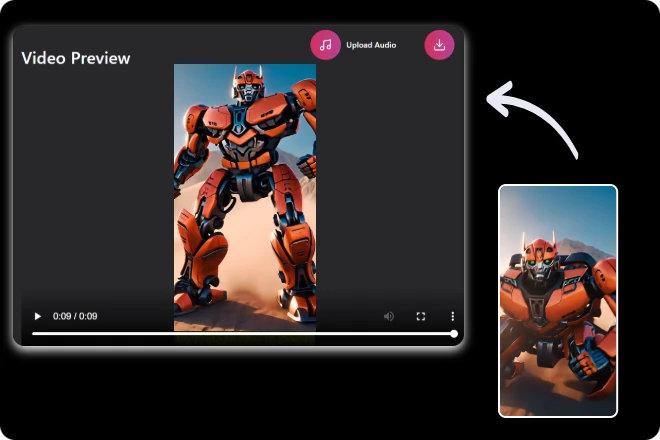
Let the AI work its magic, then quickly generate your polished video and download it, ready to share or publish instantly.
Ever feel like your videos deserve a glow-up? Video to Video turns existing clips into refreshed visual stories with style and intent. Powered by an intelligent video to video generator, it reimagines motion, tone, and detail—no reshoots, no complicated workflows, just creative momentum.
Upgrade Your Video in Minutes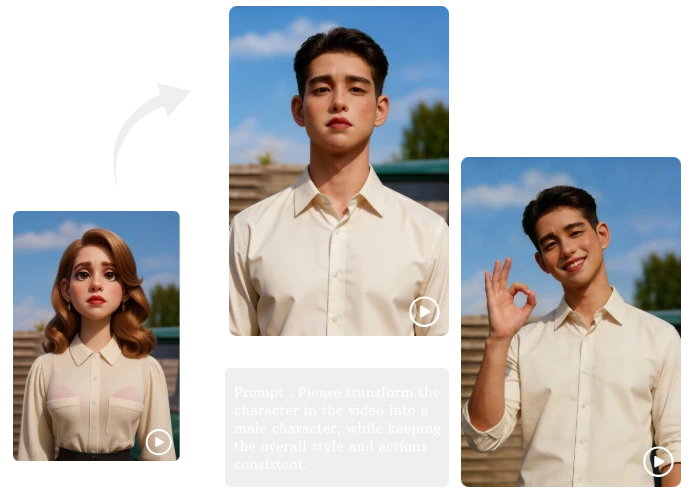
Got ideas but limited resources? Our tool bridges that gap effortlessly. This smart video to video generator helps reshape your footage into polished results, keeping the core intact while upgrading visuals, rhythm, and storytelling—perfect for fast-paced creators and production teams alike.
Upgrade Your Video in Minutes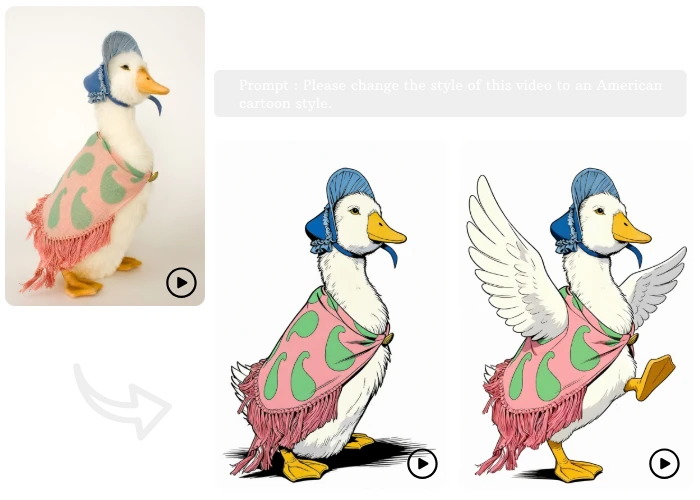
Change the outcome, not the process—raw footage rarely tells the whole story. Video to Video adds clarity, emotion, and visual flow using an advanced AI video generator. From subtle enhancements to bold transformations, it helps your videos communicate exactly what you imagined.
Upgrade Your Video in Minutes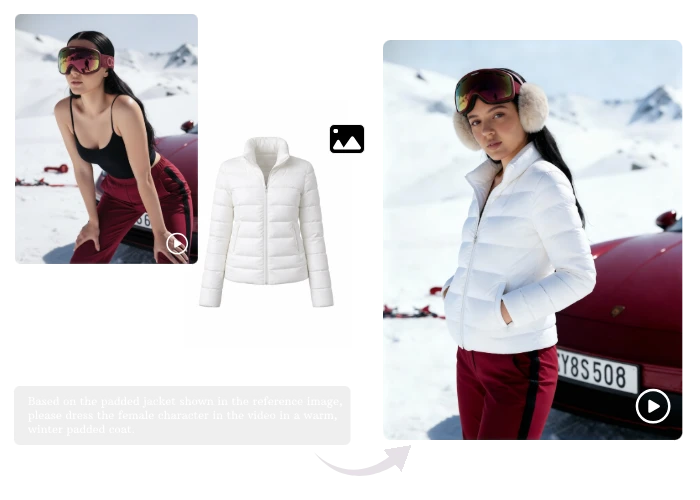
Turn long-form videos into platform-ready variations with different styles, pacing, or formats, without reshooting or rebuilding your original content.
Experiment with visual styles, moods, or aesthetics using the same footage, allowing creators to test ideas quickly and refine creative direction efficiently.
Update older brand videos with a modern look while preserving structure and messaging, extending content lifespan without restarting production from scratch.
Speed up video creation by transforming drafts into polished outputs, reducing manual edits while maintaining creative control and storytelling consistency.
Reimagine existing clips into stylized or themed videos, enabling fans and creators to produce engaging content without advanced editing skills.
Adapt a single video into multiple localized versions by adjusting visuals and tone, making global marketing faster, more consistent, and cost-effective.
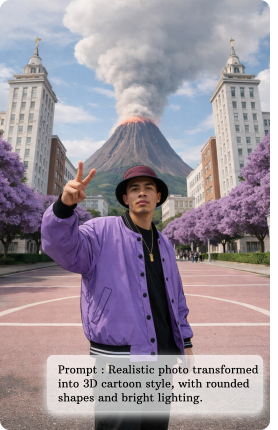
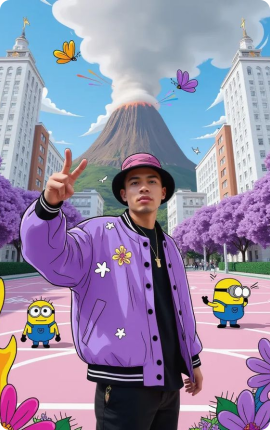
Not all video to video generators are built the same—these key advantages show how ours delivers smarter, faster, and more flexible creation.
Our marketing team localized a campaign for three regions. This tool preserved brand consistency while making each version visually unique—fast and efficient.
 Ethan Kim
As a solo creator, I can turn clips into fully polished videos without professional software. Video to Video AI lets me compete with bigger studios effortlessly.
 Lena Harper
Creating multiple variations from one source clip used to take hours. With this tool, I can generate them in minutes and experiment freely. Game-changer!
 Sophia Lee
A video to video generator applies new styles or edits to existing videos using AI, keeping original motion while transforming visuals.
Simply upload your video, select a style or provide prompts, and our AI automatically restyles your video while preserving smooth motion and quality.
You can upload common formats like MP4 or WebM within supported duration limits for processing.
You can upload common formats like MP4 and WebM. Our platform handles various durations and resolutions while ensuring fast, high-quality processing.
Yes — our AI keeps natural motion and narrative flow while enhancing visuals, so your video remains smooth and coherent after transformation.

ImageMover.ai
Transform ordinary footage into polished videos with just a few clicks. Our Video to Video generator makes professional results achievable for everyone.
Upgrade Your Video in Minutes